
First of all, you need to install Node.js (https://nodejs.org/). You can follow the instructions on this page https://nodejs.org/en/download.
Once Node.js is installed, you will need to install the @angular/cli package https://angular.dev/tools/cli. Angular CLI is the tool that allows you to create, manage, and maintain Angular applications directly from the command line.
# npm install -g @angular/cli

added 275 packages in 6s

52 packages are looking for funding
  run `npm fund` for details
After installing @angular/cli, you can initialize a new application called “library_web”.
# ng new library_web
? Which stylesheet format would you like to use? Sass (SCSS)     [ https://sass-lang.com/documentation/syntax#scss                ]
? Do you want to enable Server-Side Rendering (SSR) and Static Site Generation (SSG/Prerendering)? no
CREATE library_web/README.md (1071 bytes)
CREATE library_web/.editorconfig (274 bytes)
CREATE library_web/.gitignore (587 bytes)
CREATE library_web/angular.json (2784 bytes)
CREATE library_web/package.json (1043 bytes)
CREATE library_web/tsconfig.json (1012 bytes)
CREATE library_web/tsconfig.app.json (424 bytes)
CREATE library_web/tsconfig.spec.json (434 bytes)
CREATE library_web/.vscode/extensions.json (130 bytes)
CREATE library_web/.vscode/launch.json (470 bytes)
CREATE library_web/.vscode/tasks.json (938 bytes)
CREATE library_web/src/main.ts (250 bytes)
CREATE library_web/src/index.html (296 bytes)
CREATE library_web/src/styles.scss (80 bytes)
CREATE library_web/src/app/app.component.scss (0 bytes)
CREATE library_web/src/app/app.component.html (19903 bytes)
CREATE library_web/src/app/app.component.spec.ts (931 bytes)
CREATE library_web/src/app/app.component.ts (308 bytes)
CREATE library_web/src/app/app.config.ts (310 bytes)
CREATE library_web/src/app/app.routes.ts (77 bytes)
CREATE library_web/public/favicon.ico (15086 bytes)
✔ Packages installed successfully.
    Directory is already under version control. Skipping initialization of git.
Finally, you can start your test web server directly from Angular CLI.
# ng serve
Initial chunk files | Names         |  Raw size
polyfills.js        | polyfills     |  90.20 kB |
main.js             | main          |  22.64 kB |
styles.css          | styles        |  96 bytes |

                    | Initial total | 112.94 kB

Application bundle generation complete. [1.637 seconds]

Watch mode enabled. Watching for file changes...
NOTE: Raw file sizes do not reflect development server per-request transformations.
  ➜  Local:   http://localhost:4200/
  ➜  press h + enter to show help
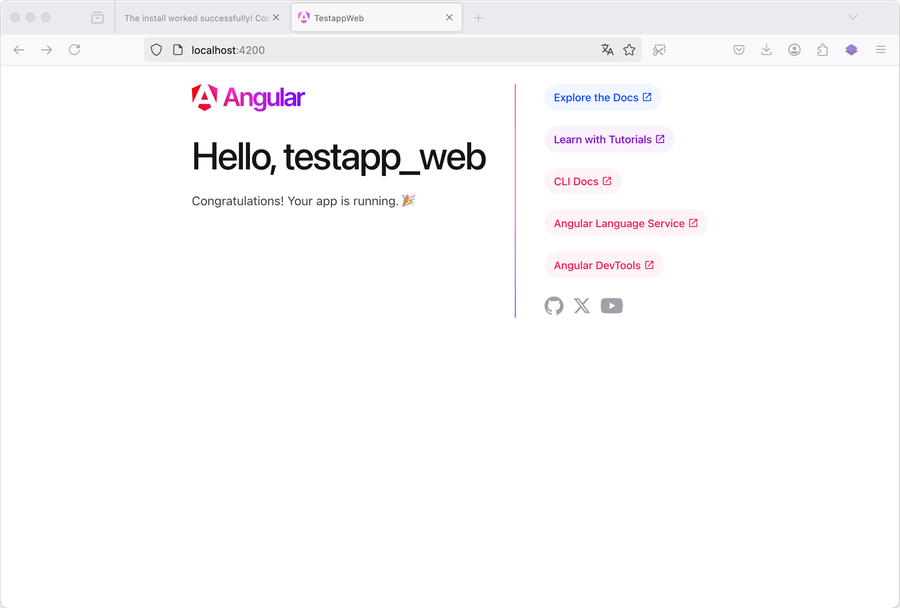
Open the browser and navigate to the following URL: http://localhost:4200.

Leave a Reply