
In questa sezione aggiorneremo il nostro backend Django per organizzare le classi in directory diverse e creare modelli relazionali.
Refactoring del codice
Per prima cosa, rifattorizziamo il codice spostando ogni classe in un file dedicato. All’interno dell’applicazione library, creiamo le seguenti directory:
library/admin
library/models
library/serializers
library/tests
library/views
Per ogni directory spostiamo il modulo python di riferimento: admin.py va dentro la directory admin, models.py dentro models, e così via. Questo è il risultato:
library

    admin
        admin.py

    models
        models.py

    serializers
        serializers.py

    views
        views.py
Ora rinomineremo i moduli e aggiorneremo il codice per gestire la corretta struttura delle directory.
Rinominiamo models.py in book.py.
Il codice del modello Book, non avendo dipendenze all’interno del nostro progetto, non richiede modifiche.
from django.db import models


class Book(models.Model):
    """
    Book model representing a book in the library.

    Attributes:
        title (CharField): The title of the book, with a maximum length of 100 characters.
        author (CharField): The author of the book, with a maximum length of 100 characters.
        publication_date (DateField): The publication date of the book.
        created_at (DateTimeField): The date and time when the book record was created.
        updated_at (DateTimeField): The date and time when the book record was last updated.

    Methods:
        __str__(): Returns the string representation of the book, which is its title.

    Meta:
        db_table (str): The name of the database table to use for this model ('books').
        indexes (list): A list of database indexes to create for this model, indexing the 'title' and 'author' fields.
    """

    title = models.CharField(max_length=100)
    author = models.CharField(max_length=100)
    publication_date = models.DateField()
    created_at = models.DateTimeField(auto_now_add=True)
    updated_at = models.DateTimeField(auto_now=True)

    def __str__(self):
        return self.title

    class Meta:
        db_table = 'books'
        indexes = [
            models.Index(fields=['title', 'author']),
        ]
All’interno della directory models, creiamo un file __init__.py con il seguente contenuto:
from .book import BookIl file __init__.py serve a trasformare la directory models in un package Python. Importa inoltre il modello Book, rendendolo facilmente accessibile dalle altre parti dell’applicazione tramite l’import del package models.
Ora aggiorniamo anche la classe admin.py, rinominandola in book_admin.py e aggiornando gli import:
# book_admin.py

from django.contrib import admin

from django.contrib import admin
from library.models.book import Book


@admin.register(Book)
class BookAdmin(admin.ModelAdmin):
    """
    BookAdmin is a custom admin class for the Book model in the Django admin interface.

    Attributes:
        list_display (tuple): Specifies the fields to be displayed in the list view of the admin interface.
        search_fields (tuple): Specifies the fields to be searched in the admin interface.
        list_filter (tuple): Specifies the fields to be used for filtering in the admin interface.
    """
    list_display = ('title', 'author', 'publication_date',
                    'created_at', 'updated_at')
    search_fields = ('title', 'author')
    list_filter = ('author',)
Creiamo il file admin/__init__.py:
# admin/__init__.py
from .book_admin import BookAdmin
Andiamo alla pagina di amministrazione di Django e verifichiamo che il codice funzioni correttamente.
Completati i controlli, riorganizziamo le altre classi.
Rinominiamo serializers.py in serializers/book_serializer.py. Aggiorniamo gli import:
# serializers/book_serializer.py

from rest_framework import serializers
from library.models.book import Book


class BookSerializer(serializers.ModelSerializer):
    """
        Serializer for the Book model.

        Serializes Book objects into JSON and deserializes JSON into Book objects.

        Attributes:
            Meta (class): A nested class that configures the serializer.
                model (Book): The Book model to serialize.
                fields (list): The fields of the Book model to include in the serialized representation.
    """
    class Meta:
        model = Book
        fields = ['id', 'title', 'author',
                  'publication_date', 'created_at', 'updated_at']
Creiamo serializers/__init__.py:
# serializers/__init__.py

from .book_serializer import BookSerializer
Infine, eseguiamo lo stesso refactoring sulla classe BookViewSet.
Rinominiamo views.py in views/book_view_set.py. Aggiorniamo gli import:
# views/book_view_set.py

from rest_framework import viewsets
from library.models.book import Book
from library.serializers.book_serializer import BookSerializer


class BookViewSet(viewsets.ModelViewSet):
    """
    A viewset for viewing and editing book instances.

    This viewset provides `list`, `create`, `retrieve`, `update` and `destroy` actions for the Book model.

    Attributes:
      queryset (QuerySet): The set of Book instances to be retrieved.
      serializer_class (BookSerializer): The serializer class to be used for serializing and deserializing Book instances.
    """
    queryset = Book.objects.all()
    serializer_class = BookSerializer
Creiamo views/__init__.py:
# views/__init__.py

from .book_view_set import BookViewSet
Questo è il risultato finale:
library
    __init__.py

    admin
        __init__.py
        book_admin.py

    apps.py

    migrations
        0001_initial.py
        __init__.py

    models
        __init__.py
        book.py

    serializers
        __init__.py
        book_serializer.py

    tests.py
    urls.py

    views
        __init__.py
        book_view_set.py
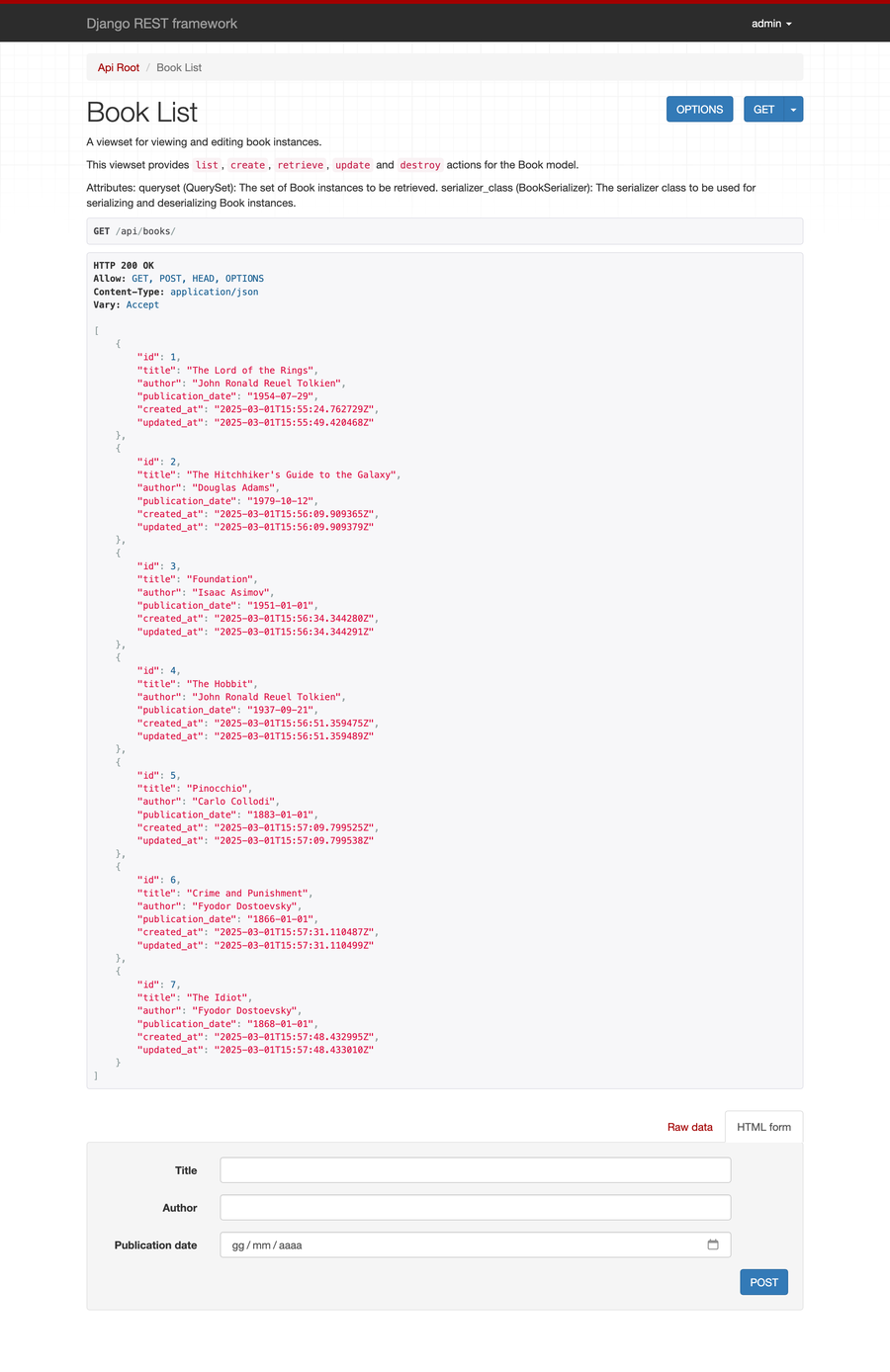
Testiamo il nostro servizio rest:

Estendere il modello Django
Generiamo un nuovo modello Author nel file models/author.py:
# models/author.py

from django.db import models


class Author(models.Model):
    """
    Represents an author in the library.

    Attributes:
        first_name (str): The first name of the author.
        last_name (str): The last name of the author.
        citizenship (str): The author's country of citizenship.
        date_of_birth (date): The author's date of birth (optional).
        date_of_death (date): The author's date of death (optional).

    Methods:
        __str__(): Returns a string representation of the author in the format 'Last Name, First Name'.

    Meta:
        db_table: Specifies the table name in the database as 'authors'.
        indexes: Defines an index on the 'last_name' and 'first_name' fields for faster lookups.
    """
    first_name = models.CharField(max_length=100)
    last_name = models.CharField(max_length=100)
    citizenship = models.CharField(max_length=100)
    date_of_birth = models.DateField(null=True, blank=True)
    date_of_death = models.DateField(null=True, blank=True)

    def __str__(self):
        return f'{self.last_name}, {self.first_name}'

    class Meta:
        db_table = 'authors'
        indexes = [
            models.Index(fields=['last_name', 'first_name']),
        ]
Aggiungiamo l’import del nuovo modello in cima al file __init__.py:
from .author import Author
from .book import Book
Generiamo la classe di migrazione e aggiorniamo lo schema MySQL:
# ./manage.py makemigrations

Migrations for 'library':
  library/migrations/0002_author.py
    + Create model Author

# ./manage.py migrate

Operations to perform:
  Apply all migrations: admin, auth, contenttypes, library, sessions
Running migrations:
  Applying library.0002_author... OK
Andiamo nel database MySQL library_db e mostriamo la tabella authors:
mysql> desc authors;
+---------------+--------------+------+-----+---------+----------------+
| Field         | Type         | Null | Key | Default | Extra          |
+---------------+--------------+------+-----+---------+----------------+
| id            | bigint       | NO   | PRI | NULL    | auto_increment |
| first_name    | varchar(100) | NO   |     | NULL    |                |
| last_name     | varchar(100) | NO   | MUL | NULL    |                |
| citizenship   | varchar(100) | NO   |     | NULL    |                |
| date_of_birth | date         | YES  |     | NULL    |                |
| date_of_death | date         | YES  |     | NULL    |                |
+---------------+--------------+------+-----+---------+----------------+
6 rows in set (0.01 sec)
Ora che abbiamo creato il modello Author, possiamo modificare la classe Book e creare una relazione tra i due oggetti.
Prima di tutto dobbiamo impostare a NULL la colonna CharField author, necessario per migrare correttamente i dati. Dobbiamo entrare nel database, usare library_db con il comando use library_db ed eseguire la query UPDATE books SET author=NULL;
mysql> UPDATE books SET author=NULL;
Query OK, 7 rows affected (0.01 sec)
Rows matched: 7  Changed: 7  Warnings: 0

mysql> SELECT * FROM books;
+----+--------------------------------------+--------+------------------+----------------------------+----------------------------+
| id | title                                | author | publication_date | created_at                 | updated_at                 |
+----+--------------------------------------+--------+------------------+----------------------------+----------------------------+
|  1 | Foundation                           | NULL   | 1951-01-01       | 2025-03-15 09:24:49.097703 | 2025-03-15 09:24:49.097731 |
|  2 | The Lord of the Rings                | NULL   | 1954-07-29       | 2025-03-15 09:25:06.376733 | 2025-03-15 09:25:06.376754 |
|  3 | The Hitchhiker's Guide to the Galaxy | NULL   | 1979-10-12       | 2025-03-15 09:25:25.753995 | 2025-03-15 09:25:25.754015 |
|  4 | The Hobbit                           | NULL   | 1937-09-21       | 2025-03-15 09:25:44.388349 | 2025-03-15 09:25:44.388371 |
|  5 | Pinocchio                            | NULL   | 1883-01-01       | 2025-03-15 09:26:03.339856 | 2025-03-15 09:26:03.339880 |
|  6 | Crime and Punishment                 | NULL   | 1866-01-01       | 2025-03-15 09:26:22.503294 | 2025-03-15 09:26:22.503318 |
|  7 | The Idiot                            | NULL   | 1868-01-01       | 2025-03-15 09:26:37.457036 | 2025-03-15 09:26:37.457047 |
+----+--------------------------------------+--------+------------------+----------------------------+----------------------------+
7 rows in set (0.00 sec)
Ora aggiorniamo il modello Book:
# models/book.py

from django.db import models

from library.models.author import Author


class Book(models.Model):
    """
    Represents a book in the library.

    Attributes:
        title (str): The title of the book.
        author (Author): The author of the book.
        publication_date (date): The date the book was published.
        created_at (datetime): The date and time the book was created.
        updated_at (datetime): The date and time the book was last updated.

    Meta:
        db_table (str): The name of the database table for books.
        indexes (list): A list of indexes for the table, including one for the title field.
    """

    title = models.CharField(max_length=100)
    author = models.ForeignKey(
        Author,
        on_delete=models.CASCADE,
        related_name='books',
        null=True
    )
    publication_date = models.DateField()
    created_at = models.DateTimeField(auto_now_add=True)
    updated_at = models.DateTimeField(auto_now=True)

    def __str__(self):
        return self.title

    class Meta:
        db_table = 'books'
        indexes = [
            models.Index(fields=['title']),
        ]
Django ForeignKey
Una ForeignKey è un tipo di campo dei modelli Django che rappresenta una relazione uno-a-molti. Memorizza un riferimento a un altro modello, permettendoti di collegare istanze di un modello a istanze di un altro.
Ad esempio, se hai un modello ‘Author’ e un modello ‘Book’, e ogni libro ha un autore, useresti una ForeignKey nel modello ‘Book’ che punta al modello ‘Author’.
Attributi e comportamenti principali:
- Crea una colonna nel database che contiene l’ID dell’istanza del modello collegato.
- Crea automaticamente un indice per la colonna della chiave esterna, migliorando le prestazioni delle query.
- Supporta le cancellazioni a cascata: quando un oggetto collegato viene eliminato, anche gli oggetti che hanno una chiave esterna verso di esso possono essere eliminati automaticamente.
- Può essere usata per creare relazioni tra modelli della stessa app o di app diverse.
- L’argomento ‘on_delete’ specifica il comportamento quando l’oggetto referenziato viene eliminato. Le opzioni più comuni sono:
- -CASCADE: elimina gli oggetti che contengono la chiave esterna.
- PROTECT: impedisce l’eliminazione dell’oggetto referenziato sollevando un’eccezione ProtectedError.
- SET_NULL: imposta la chiave esterna a NULL (richiede null=True).
- SET_DEFAULT: imposta la chiave esterna al valore di default (richiede default=…).
- SET(): imposta la chiave esterna a un valore specificato o al risultato di un callable.
- DO_NOTHING: non fa nulla. In genere è sconsigliato perché può causare problemi di integrità dei dati.
Abbiamo quindi aggiornato il nostro modello modificando la proprietà author:
    author = models.ForeignKey(
        Author,
        on_delete=models.CASCADE,
        related_name='books',
        null=True
    )
e, poiché i riferimenti ad altre tabelle sono sempre indicizzati, abbiamo rimosso il rispettivo indice su author aggiornando la classe Meta:
    class Meta:
        db_table = 'books'
        indexes = [
            models.Index(fields=['title']),
        ]
Ora dobbiamo eseguire i comandi:
./manage.py makemigrations
# ./manage.py makemigrations
Migrations for 'library':
  library/migrations/0003_remove_book_books_title_e8b1ad_idx_alter_book_author_and_more.py
    - Remove index books_title_e8b1ad_idx from book
    ~ Alter field author on book
    + Create index books_title_7a737c_idx on field(s) title of model book
e:
./manage.py migrate:
# ./manage.py makemigrations
Migrations for 'library':
  library/migrations/0003_remove_book_books_title_e8b1ad_idx_alter_book_author_and_more.py
    - Remove index books_title_e8b1ad_idx from book
    ~ Alter field author on book
    + Create index books_title_7a737c_idx on field(s) title of model book
Ora, se esegui la query MySQL show create table books\G, puoi vedere il vincolo FOREIGN KEY verso la tabella authors(id).
mysql> show create table books\G
*************************** 1. row ***************************
       Table: books
Create Table: CREATE TABLE `books` (
  `id` bigint NOT NULL AUTO_INCREMENT,
  `title` varchar(100) NOT NULL,
  `author_id` bigint DEFAULT NULL,
  `publication_date` date NOT NULL,
  `created_at` datetime(6) NOT NULL,
  `updated_at` datetime(6) NOT NULL,
  PRIMARY KEY (`id`),
  KEY `books_author_id_c90d3b48` (`author_id`),
  KEY `books_title_7a737c_idx` (`title`),
  CONSTRAINT `books_author_id_c90d3b48_fk_authors_id` FOREIGN KEY (`author_id`) REFERENCES `authors` (`id`)
) ENGINE=InnoDB AUTO_INCREMENT=8 DEFAULT CHARSET=utf8mb4 COLLATE=utf8mb4_0900_ai_ci
1 row in set (0.00 sec)
Ora possiamo creare la classe AuthorAdmin. Creiamo il nuovo file admin/author_admin.py e aggiungiamo questo:
# admin/author_admin.py

from django.contrib import admin
from library.models.book import Author


@admin.register(Author)
class AuthorAdmin(admin.ModelAdmin):
    """
    AuthorAdmin is a custom admin class for the Author model in the Django admin interface.

    Attributes:
        list_display (tuple): Specifies the fields to be displayed in the list view of the admin interface.
        search_fields (tuple): Specifies the fields to be searched in the admin interface.
        list_filter (tuple): Specifies the fields to be used for filtering in the admin interface.
    """
    list_display = (
        'first_name',
        'last_name',
        'citizenship',
        'date_of_birth',
        'date_of_death'
    )
    search_fields = ('first_name', 'last_name')
    list_filter = ('citizenship',)
Importiamo AuthorAdmin in __init__.py:
from .author_admin import AuthorAdmin
from .book_admin import BookAdmin
Ora puoi gestire la tabella authors dalla console di amministrazione di Django. Inseriamo questi dati:
| Nome | Cognome | Cittadinanza | Data di nascita | Data di morte |
|---|---|---|---|---|
| Isaac | Asimov | United States | 1920-01-02 | 1992-04-04 |
| John Ronald Reuel | Tolkien | England | 1892-01-03 | 1973-09-02 |
| Douglas | Adams | England | 1952-03-11 | 2001-05-11 |
| Carlo | Collodi | Italy | 1826-11-24 | 1890-10-26 |
| Fyodor | Dostoevsky | Russian | 1821-11-11 | 1881-02-09 |
Nella nostra console di amministrazione Django avremo:

Ora dobbiamo aggiornare i books assegnando il rispettivo author, quindi aggiorniamo tutti i libri:

Ora i nostri dati sono organizzati in due tabelle separate:
authors
mysql> SELECT * FROM authors;
+----+-------------------+------------+---------------+---------------+---------------+
| id | first_name        | last_name  | citizenship   | date_of_birth | date_of_death |
+----+-------------------+------------+---------------+---------------+---------------+
|  1 | Isaac             | Asimov     | United States | 1920-01-02    | 1992-04-04    |
|  2 | John Ronald Reuel | Tolkien    | England       | 1892-01-03    | 1973-09-02    |
|  3 | Douglas           | Adams      | England       | 1952-03-11    | 2001-05-11    |
|  4 | Carlo             | Collodi    | taly          | 1826-11-24    | 1890-10-26    |
|  5 | Fyodor            | Dostoevsky | Russian       | 1821-11-11    | 1881-02-09    |
+----+-------------------+------------+---------------+---------------+---------------+
5 rows in set (0.01 sec)
books
mysql> SELECT * FROM books;
+----+--------------------------------------+-----------+------------------+----------------------------+----------------------------+
| id | title                                | author_id | publication_date | created_at                 | updated_at                 |
+----+--------------------------------------+-----------+------------------+----------------------------+----------------------------+
|  1 | Foundation                           |         1 | 1951-01-01       | 2025-03-15 09:24:49.097703 | 2025-03-15 11:38:44.326959 |
|  2 | The Lord of the Rings                |         2 | 1954-07-29       | 2025-03-15 09:25:06.376733 | 2025-03-15 11:38:36.518855 |
|  3 | The Hitchhiker's Guide to the Galaxy |         3 | 1979-10-12       | 2025-03-15 09:25:25.753995 | 2025-03-15 11:38:32.085605 |
|  4 | The Hobbit                           |         2 | 1937-09-21       | 2025-03-15 09:25:44.388349 | 2025-03-15 11:38:06.462337 |
|  5 | Pinocchio                            |         4 | 1883-01-01       | 2025-03-15 09:26:03.339856 | 2025-03-15 11:37:53.039569 |
|  6 | Crime and Punishment                 |         5 | 1866-01-01       | 2025-03-15 09:26:22.503294 | 2025-03-15 11:37:47.145996 |
|  7 | The Idiot                            |         5 | 1868-01-01       | 2025-03-15 09:26:37.457036 | 2025-03-15 11:37:41.599992 |
+----+--------------------------------------+-----------+------------------+----------------------------+----------------------------+
7 rows in set (0.01 sec)
Ottimizzazioni dell’admin di Django
Ora aggiungiamo la proprietà autocomplete_fields alla classe BookAdmin. Questa configurazione specifica che il campo author deve avere l’autocompletamento abilitato nell’interfaccia di amministrazione o nei form di Django.
autocomplete_fields = ['author']Quando un utente inserisce i dati nel campo author, il sistema suggerirà i valori possibili in base ai dati esistenti.
Infine aggiungiamo la proprietà sortable_by. È la configurazione di Django relativa all’ordinamento.
sortable_by = ['title', 'author', 'publication_date']In questo caso permette di ordinare per ‘title’, ‘author’ e ‘publication_date’.
Come ultima ottimizzazione aggiungiamo l’ordinamento sui campi last_name e first_name del modello author. Questa è la classe completa.
# models/author.py
class Author:
from django.db import models


class Author(models.Model):
    """
    Model representing an author.

    Attributes:
        first_name (CharField): The first name of the author.
        last_name (CharField): The last name of the author.
        citizenship (CharField): The citizenship of the author.
        date_of_birth (DateField): The birth date of the author. Can be null or blank.
        date_of_death (DateField): The death date of the author. Can be null or blank.

    Methods:
        __str__(): Returns a string representation of the author in the format 'last_name, first_name'.

    Meta:
        db_table (str): The name of the database table.
        indexes (list): A list of database indexes for the model.
        ordering (list): The default ordering for the model.
        verbose_name_plural (str): The plural name for the model.
    """

    first_name = models.CharField(max_length=100)
    last_name = models.CharField(max_length=100)
    citizenship = models.CharField(max_length=100)
    date_of_birth = models.DateField(null=True, blank=True)
    date_of_death = models.DateField(null=True, blank=True)

    def __str__(self):
        return f'{self.last_name}, {self.first_name}'

    class Meta:
        db_table = 'authors'
        indexes = [
            models.Index(fields=['last_name', 'first_name']),
        ]
        ordering = ['last_name', 'first_name']
        verbose_name_plural = 'Authors'
Ora aggiorniamo il nostro schema MySQL
# ./manage.py makemigrations
Migrations for 'library':
  library/migrations/0004_alter_author_options.py
    ~ Change Meta options on author

# ./manage.py migrate
Operations to perform:
  Apply all migrations: admin, auth, contenttypes, library, sessions
Running migrations:
  Applying library.0004_alter_author_options... OK
Questo è il risultato:

Lascia un commento