
In this section, we will upgrade our Django backend to organize the classes into different directories and create relational models.
Code Refactoring
First, let’s refactor our code by moving each class to a dedicated file. Within the library application, let’s create the following directories:
library/admin
library/models
library/serializers
library/tests
library/views
For each directory, we move the reference python module; admin.py will be placed inside the admin directory, models.py inside models, etc. This is the result:
library

    admin
        admin.py

    models
        models.py

    serializers
        serializers.py

    views
        views.py
Now, we will rename the modules and update the code to manage the correct directory structure.
Let’s rename models.py to book.py.
The Book model code, having no dependencies within our project, will not need modifications.
from django.db import models


class Book(models.Model):
    """
    Book model representing a book in the library.

    Attributes:
        title (CharField): The title of the book, with a maximum length of 100 characters.
        author (CharField): The author of the book, with a maximum length of 100 characters.
        publication_date (DateField): The publication date of the book.
        created_at (DateTimeField): The date and time when the book record was created.
        updated_at (DateTimeField): The date and time when the book record was last updated.

    Methods:
        __str__(): Returns the string representation of the book, which is its title.

    Meta:
        db_table (str): The name of the database table to use for this model ('books').
        indexes (list): A list of database indexes to create for this model, indexing the 'title' and 'author' fields.
    """

    title = models.CharField(max_length=100)
    author = models.CharField(max_length=100)
    publication_date = models.DateField()
    created_at = models.DateTimeField(auto_now_add=True)
    updated_at = models.DateTimeField(auto_now=True)

    def __str__(self):
        return self.title

    class Meta:
        db_table = 'books'
        indexes = [
            models.Index(fields=['title', 'author']),
        ]
Inside the models directory, let’s create an __init__.py file with the following content:
from .book import BookThe __init__.py file is used to make the models directory a Python package. It also imports the Book model, making it easily accessible from other parts of the application by importing the models package.
Now let’s update our admin.py class as well, rename it to book_admin.py, update the imports:
# book_admin.py

from django.contrib import admin

from django.contrib import admin
from library.models.book import Book


@admin.register(Book)
class BookAdmin(admin.ModelAdmin):
    """
    BookAdmin is a custom admin class for the Book model in the Django admin interface.

    Attributes:
        list_display (tuple): Specifies the fields to be displayed in the list view of the admin interface.
        search_fields (tuple): Specifies the fields to be searched in the admin interface.
        list_filter (tuple): Specifies the fields to be used for filtering in the admin interface.
    """
    list_display = ('title', 'author', 'publication_date',
                    'created_at', 'updated_at')
    search_fields = ('title', 'author')
    list_filter = ('author',)
Create the admin/__init__.py file:
# admin/__init__.py
from .book_admin import BookAdmin
Let’s go to our Django administration page and verify that our code is working correctly.
Once we have completed our checks, let’s reorganize the other classes.
Rename serializers.py in serializers/book_serializer.py. Update imports:
# serializers/book_serializer.py

from rest_framework import serializers
from library.models.book import Book


class BookSerializer(serializers.ModelSerializer):
    """
        Serializer for the Book model.

        Serializes Book objects into JSON and deserializes JSON into Book objects.

        Attributes:
            Meta (class): A nested class that configures the serializer.
                model (Book): The Book model to serialize.
                fields (list): The fields of the Book model to include in the serialized representation.
    """
    class Meta:
        model = Book
        fields = ['id', 'title', 'author',
                  'publication_date', 'created_at', 'updated_at']
Create serializers/__init__.py:
# serializers/__init__.py

from .book_serializer import BookSerializer
Finally, let’s perform the same refactoring on the BookViewSet class.
Rename views.py in views/book_view_set.py. Update imports:
# views/book_view_set.py

from rest_framework import viewsets
from library.models.book import Book
from library.serializers.book_serializer import BookSerializer


class BookViewSet(viewsets.ModelViewSet):
    """
    A viewset for viewing and editing book instances.

    This viewset provides `list`, `create`, `retrieve`, `update` and `destroy` actions for the Book model.

    Attributes:
      queryset (QuerySet): The set of Book instances to be retrieved.
      serializer_class (BookSerializer): The serializer class to be used for serializing and deserializing Book instances.
    """
    queryset = Book.objects.all()
    serializer_class = BookSerializer
Create views/__init__.py:
# views/__init__.py

from .book_view_set import BookViewSet
This is the final result:
library
    __init__.py

    admin
        __init__.py
        book_admin.py

    apps.py

    migrations
        0001_initial.py
        __init__.py

    models
        __init__.py
        book.py

    serializers
        __init__.py
        book_serializer.py

    tests.py
    urls.py

    views
        __init__.py
        book_view_set.py
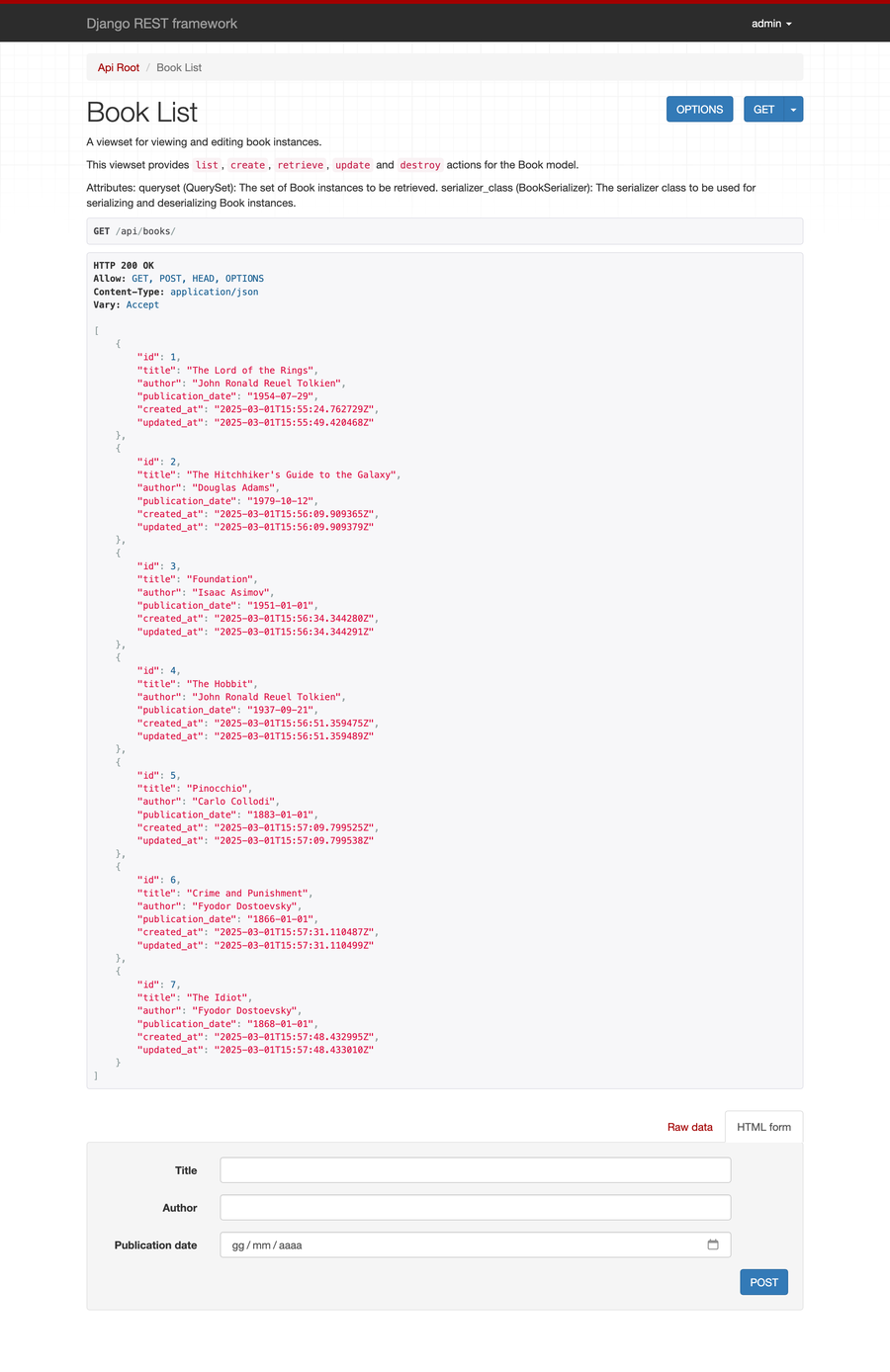
Let’s test our rest service:

Extending Django Model
Let’s we generate a new model Author in models/author.pyfile:
# models/author.py

from django.db import models


class Author(models.Model):
    """
    Represents an author in the library.

    Attributes:
        first_name (str): The first name of the author.
        last_name (str): The last name of the author.
        citizenship (str): The author's country of citizenship.
        date_of_birth (date): The author's date of birth (optional).
        date_of_death (date): The author's date of death (optional).

    Methods:
        __str__(): Returns a string representation of the author in the format 'Last Name, First Name'.

    Meta:
        db_table: Specifies the table name in the database as 'authors'.
        indexes: Defines an index on the 'last_name' and 'first_name' fields for faster lookups.
    """
    first_name = models.CharField(max_length=100)
    last_name = models.CharField(max_length=100)
    citizenship = models.CharField(max_length=100)
    date_of_birth = models.DateField(null=True, blank=True)
    date_of_death = models.DateField(null=True, blank=True)

    def __str__(self):
        return f'{self.last_name}, {self.first_name}'

    class Meta:
        db_table = 'authors'
        indexes = [
            models.Index(fields=['last_name', 'first_name']),
        ]
Add import of new model on top of __init__.py file:
from .author import Author
from .book import Book
Generate migrations class and update MySQL schema:
# ./manage.py makemigrations

Migrations for 'library':
  library/migrations/0002_author.py
    + Create model Author

# ./manage.py migrate

Operations to perform:
  Apply all migrations: admin, auth, contenttypes, library, sessions
Running migrations:
  Applying library.0002_author... OK
Go to MySQL library_dbdatabase and show authors table:
mysql> desc authors;
+---------------+--------------+------+-----+---------+----------------+
| Field         | Type         | Null | Key | Default | Extra          |
+---------------+--------------+------+-----+---------+----------------+
| id            | bigint       | NO   | PRI | NULL    | auto_increment |
| first_name    | varchar(100) | NO   |     | NULL    |                |
| last_name     | varchar(100) | NO   | MUL | NULL    |                |
| citizenship   | varchar(100) | NO   |     | NULL    |                |
| date_of_birth | date         | YES  |     | NULL    |                |
| date_of_death | date         | YES  |     | NULL    |                |
+---------------+--------------+------+-----+---------+----------------+
6 rows in set (0.01 sec)
Now that we have created our Author model, we can modify the Book class and create a relationship between the two objects.
First, we need to set NULL CharField author column, this is necessary to correctly migrate data. We need enter on database, using library_db running the command use library_db and excetuting query UPDATE books SET author=NULL;
mysql> UPDATE books SET author=NULL;
Query OK, 7 rows affected (0.01 sec)
Rows matched: 7  Changed: 7  Warnings: 0

mysql> SELECT * FROM books;
+----+--------------------------------------+--------+------------------+----------------------------+----------------------------+
| id | title                                | author | publication_date | created_at                 | updated_at                 |
+----+--------------------------------------+--------+------------------+----------------------------+----------------------------+
|  1 | Foundation                           | NULL   | 1951-01-01       | 2025-03-15 09:24:49.097703 | 2025-03-15 09:24:49.097731 |
|  2 | The Lord of the Rings                | NULL   | 1954-07-29       | 2025-03-15 09:25:06.376733 | 2025-03-15 09:25:06.376754 |
|  3 | The Hitchhiker's Guide to the Galaxy | NULL   | 1979-10-12       | 2025-03-15 09:25:25.753995 | 2025-03-15 09:25:25.754015 |
|  4 | The Hobbit                           | NULL   | 1937-09-21       | 2025-03-15 09:25:44.388349 | 2025-03-15 09:25:44.388371 |
|  5 | Pinocchio                            | NULL   | 1883-01-01       | 2025-03-15 09:26:03.339856 | 2025-03-15 09:26:03.339880 |
|  6 | Crime and Punishment                 | NULL   | 1866-01-01       | 2025-03-15 09:26:22.503294 | 2025-03-15 09:26:22.503318 |
|  7 | The Idiot                            | NULL   | 1868-01-01       | 2025-03-15 09:26:37.457036 | 2025-03-15 09:26:37.457047 |
+----+--------------------------------------+--------+------------------+----------------------------+----------------------------+
7 rows in set (0.00 sec)
Now, let’s update Bookmodel:
# models/book.py

from django.db import models

from library.models.author import Author


class Book(models.Model):
    """
    Represents a book in the library.

    Attributes:
        title (str): The title of the book.
        author (Author): The author of the book.
        publication_date (date): The date the book was published.
        created_at (datetime): The date and time the book was created.
        updated_at (datetime): The date and time the book was last updated.

    Meta:
        db_table (str): The name of the database table for books.
        indexes (list): A list of indexes for the table, including one for the title field.
    """

    title = models.CharField(max_length=100)
    author = models.ForeignKey(
        Author,
        on_delete=models.CASCADE,
        related_name='books',
        null=True
    )
    publication_date = models.DateField()
    created_at = models.DateTimeField(auto_now_add=True)
    updated_at = models.DateTimeField(auto_now=True)

    def __str__(self):
        return self.title

    class Meta:
        db_table = 'books'
        indexes = [
            models.Index(fields=['title']),
        ]
Django ForeignKey
A ForeignKey is a type of field in Django models that represents a one-to-many relationship. It stores a reference to another model, allowing you to link instances of one model to instances of another.
For example, if you have an ‘Author’ model and a ‘Book’ model, and each book has one author, you would use a ForeignKey in the ‘Book’ model to point to the ‘Author’ model.
Key attributes and behaviors:
- It creates a database column that holds the ID of the related model instance.
- It automatically creates a database index for the foreign key column, improving query performance.
- It supports cascading deletes, meaning that when a related object is deleted, the objects that have a foreign key pointing to it can also be deleted automatically.
- It can be used to create relationships between models in the same app or in different apps.
- The ‘on_delete’ argument specifies the behavior when the referenced object is deleted. Common options include:
- -CASCADE: Delete the objects containing the foreign key.
- PROTECT: Prevent deletion of the referenced object by raising a ProtectedError exception.
- SET_NULL: Set the foreign key to NULL (requires null=True).
- SET_DEFAULT: Set the foreign key to the default value (requires default=…).
- SET(): Set the foreign key to a specified value or the result of a callable.
- DO_NOTHING: Take no action. This is generally discouraged as it can lead to data integrity issues.
So, we have update our model updating author property:
    author = models.ForeignKey(
        Author,
        on_delete=models.CASCADE,
        related_name='books',
        null=True
    )
and, since references to other tables are always indexed, we removed the respective authorindex by updating Meta class:
    class Meta:
        db_table = 'books'
        indexes = [
            models.Index(fields=['title']),
        ]
Now we need execute commands:
./manage.py makemigrations
# ./manage.py makemigrations
Migrations for 'library':
  library/migrations/0003_remove_book_books_title_e8b1ad_idx_alter_book_author_and_more.py
    - Remove index books_title_e8b1ad_idx from book
    ~ Alter field author on book
    + Create index books_title_7a737c_idx on field(s) title of model book
and:
./manage.py migrate:
# ./manage.py makemigrations
Migrations for 'library':
  library/migrations/0003_remove_book_books_title_e8b1ad_idx_alter_book_author_and_more.py
    - Remove index books_title_e8b1ad_idx from book
    ~ Alter field author on book
    + Create index books_title_7a737c_idx on field(s) title of model book
Now, if you execute MySQL query: show create table books\G, you can see FOREIGN KEY contraint to authos(id)table.
mysql> show create table books\G
*************************** 1. row ***************************
       Table: books
Create Table: CREATE TABLE `books` (
  `id` bigint NOT NULL AUTO_INCREMENT,
  `title` varchar(100) NOT NULL,
  `author_id` bigint DEFAULT NULL,
  `publication_date` date NOT NULL,
  `created_at` datetime(6) NOT NULL,
  `updated_at` datetime(6) NOT NULL,
  PRIMARY KEY (`id`),
  KEY `books_author_id_c90d3b48` (`author_id`),
  KEY `books_title_7a737c_idx` (`title`),
  CONSTRAINT `books_author_id_c90d3b48_fk_authors_id` FOREIGN KEY (`author_id`) REFERENCES `authors` (`id`)
) ENGINE=InnoDB AUTO_INCREMENT=8 DEFAULT CHARSET=utf8mb4 COLLATE=utf8mb4_0900_ai_ci
1 row in set (0.00 sec)
Now, we can create AuthorAdmin class. Create new file admin/author_admin.pyand add this:
# admin/author_admin.py

from django.contrib import admin
from library.models.book import Author


@admin.register(Author)
class AuthorAdmin(admin.ModelAdmin):
    """
    AuthorAdmin is a custom admin class for the Author model in the Django admin interface.

    Attributes:
        list_display (tuple): Specifies the fields to be displayed in the list view of the admin interface.
        search_fields (tuple): Specifies the fields to be searched in the admin interface.
        list_filter (tuple): Specifies the fields to be used for filtering in the admin interface.
    """
    list_display = (
        'first_name',
        'last_name',
        'citizenship',
        'date_of_birth',
        'date_of_death'
    )
    search_fields = ('first_name', 'last_name')
    list_filter = ('citizenship',)
Import AuthorAdminin __init__.py:
from .author_admin import AuthorAdmin
from .book_admin import BookAdmin
Now you can managing authors table from Django Admin console. We add these data:
| First name | Last Name | Citizenship | Date of birth | Date of death |
|---|---|---|---|---|
| Isaac | Asimov | United States | 1920-01-02 | 1992-04-04 |
| John Ronald Reuel | Tolkien | England | 1892-01-03 | 1973-09-02 |
| Douglas | Adams | England | 1952-03-11 | 2001-05-11 |
| Carlo | Collodi | Italy | 1826-11-24 | 1890-10-26 |
| Fyodor | Dostoevsky | Russian | 1821-11-11 | 1881-02-09 |
On our Django administration console, we will have:

Now we need to update books and assign the respective author, so we update all books:

Now our data has been organized into two separate tables:
authors
mysql> SELECT * FROM authors;
+----+-------------------+------------+---------------+---------------+---------------+
| id | first_name        | last_name  | citizenship   | date_of_birth | date_of_death |
+----+-------------------+------------+---------------+---------------+---------------+
|  1 | Isaac             | Asimov     | United States | 1920-01-02    | 1992-04-04    |
|  2 | John Ronald Reuel | Tolkien    | England       | 1892-01-03    | 1973-09-02    |
|  3 | Douglas           | Adams      | England       | 1952-03-11    | 2001-05-11    |
|  4 | Carlo             | Collodi    | taly          | 1826-11-24    | 1890-10-26    |
|  5 | Fyodor            | Dostoevsky | Russian       | 1821-11-11    | 1881-02-09    |
+----+-------------------+------------+---------------+---------------+---------------+
5 rows in set (0.01 sec)
books
mysql> SELECT * FROM books;
+----+--------------------------------------+-----------+------------------+----------------------------+----------------------------+
| id | title                                | author_id | publication_date | created_at                 | updated_at                 |
+----+--------------------------------------+-----------+------------------+----------------------------+----------------------------+
|  1 | Foundation                           |         1 | 1951-01-01       | 2025-03-15 09:24:49.097703 | 2025-03-15 11:38:44.326959 |
|  2 | The Lord of the Rings                |         2 | 1954-07-29       | 2025-03-15 09:25:06.376733 | 2025-03-15 11:38:36.518855 |
|  3 | The Hitchhiker's Guide to the Galaxy |         3 | 1979-10-12       | 2025-03-15 09:25:25.753995 | 2025-03-15 11:38:32.085605 |
|  4 | The Hobbit                           |         2 | 1937-09-21       | 2025-03-15 09:25:44.388349 | 2025-03-15 11:38:06.462337 |
|  5 | Pinocchio                            |         4 | 1883-01-01       | 2025-03-15 09:26:03.339856 | 2025-03-15 11:37:53.039569 |
|  6 | Crime and Punishment                 |         5 | 1866-01-01       | 2025-03-15 09:26:22.503294 | 2025-03-15 11:37:47.145996 |
|  7 | The Idiot                            |         5 | 1868-01-01       | 2025-03-15 09:26:37.457036 | 2025-03-15 11:37:41.599992 |
+----+--------------------------------------+-----------+------------------+----------------------------+----------------------------+
7 rows in set (0.01 sec)
Django Admin Optimizations
Now, let’s add the autocomplete_fields property to the BookAdmin class. This configuration specifies that the author field should have autocompletion enabled in the Django admin interface or forms.
autocomplete_fields = ['author']When a user is entering data for the authorfield, the system will suggest possible values based on existing data.
Finally, we add add the sortable_by property. This is the configuration for Django related to sorting functionality.
sortable_by = ['title', 'author', 'publication_date']In this case, it allows sorting by ‘title’, ‘author’, and ‘publication_date’.
As a final optimization we add sorting on the last_name and first_name fields of the author model. This is the complete class.
# models/author.py
class Author:
from django.db import models


class Author(models.Model):
    """
    Model representing an author.

    Attributes:
        first_name (CharField): The first name of the author.
        last_name (CharField): The last name of the author.
        citizenship (CharField): The citizenship of the author.
        date_of_birth (DateField): The birth date of the author. Can be null or blank.
        date_of_death (DateField): The death date of the author. Can be null or blank.

    Methods:
        __str__(): Returns a string representation of the author in the format 'last_name, first_name'.

    Meta:
        db_table (str): The name of the database table.
        indexes (list): A list of database indexes for the model.
        ordering (list): The default ordering for the model.
        verbose_name_plural (str): The plural name for the model.
    """

    first_name = models.CharField(max_length=100)
    last_name = models.CharField(max_length=100)
    citizenship = models.CharField(max_length=100)
    date_of_birth = models.DateField(null=True, blank=True)
    date_of_death = models.DateField(null=True, blank=True)

    def __str__(self):
        return f'{self.last_name}, {self.first_name}'

    class Meta:
        db_table = 'authors'
        indexes = [
            models.Index(fields=['last_name', 'first_name']),
        ]
        ordering = ['last_name', 'first_name']
        verbose_name_plural = 'Authors'
Now update our MySQL schema
# ./manage.py makemigrations
Migrations for 'library':
  library/migrations/0004_alter_author_options.py
    ~ Change Meta options on author

# ./manage.py migrate
Operations to perform:
  Apply all migrations: admin, auth, contenttypes, library, sessions
Running migrations:
  Applying library.0004_alter_author_options... OK
This is the result:

Leave a Reply